Parts Code Tables
Prior to creating parts, there will need to be code tables setup for Part Locations, Part Types, Subsystems and Inventory Adjustment Reasons.
Navigate To: System>Configuration>Code Maintenance>Parts
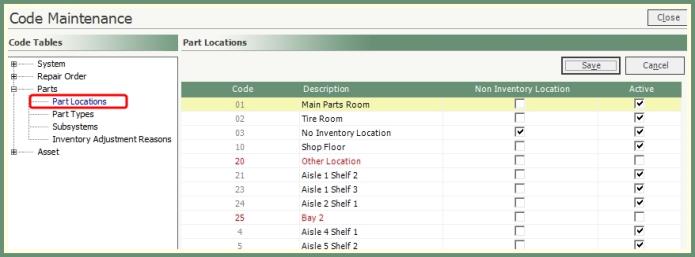
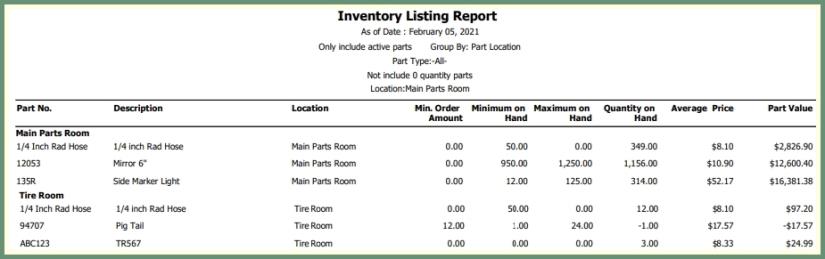
Assign the location of each part for inventory as well as defining non inventory part locations.
|
|
-
Enter a unique 2-digit code.
-
Enter a description of the part location.
-
One part location can be designated as Non Inventory.
-
To specify Aisles and Shelf locations, create a part location with the aisle and shelf description. Such as Aisle 1 Shelf 3.
-
Active will be selected by default. Remove the active setting to mark a part location as inactive.
-
Repeat for all part locations and save when finished.
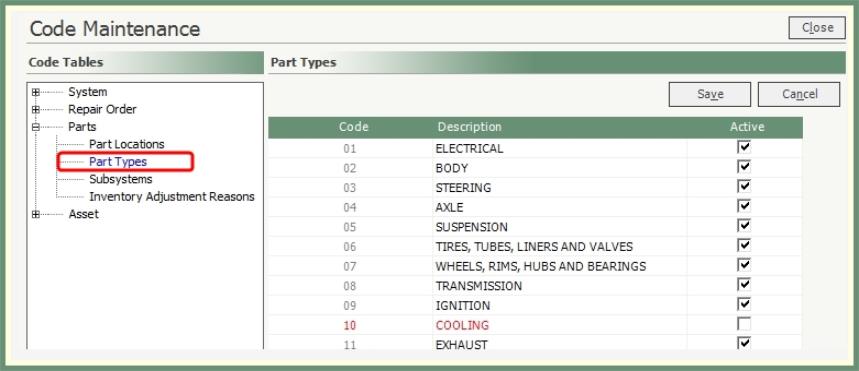
Creates a category for each type of part.
-
Enter a unique 2-digit code.
-
Enter a part type description.
-
Active will be selected by default. Remove the active setting to mark a part type as inactive.
-
Repeat for all part types and save when finished.
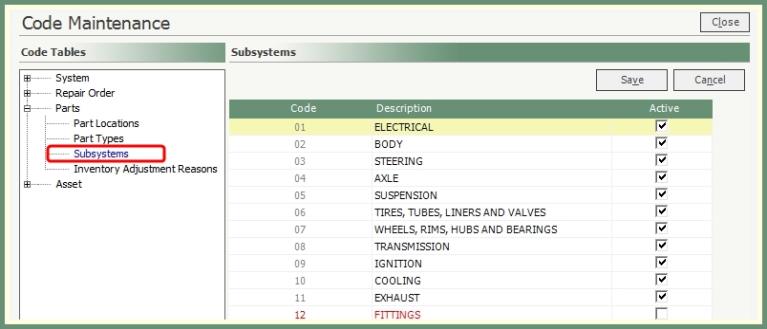
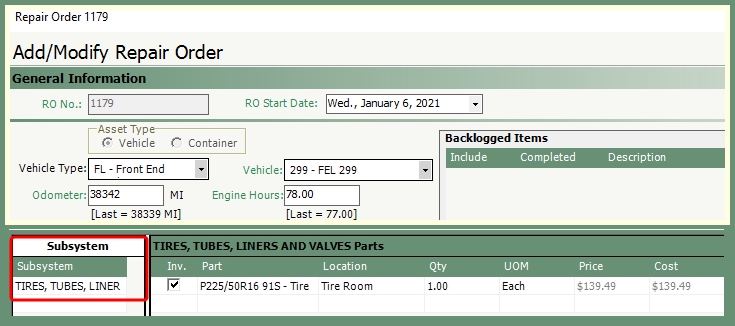
Placing a part in a subsystem will filter the available parts to be applied to a repair order to only the parts within the selected subsytem.
|
|
-
Enter a unique 2-digit code.
-
Enter a subsystem description.
-
Active will be selected by default. Remove the active setting to mark a subsystem as inactive.
-
Repeat for all subsystems and save when finished.
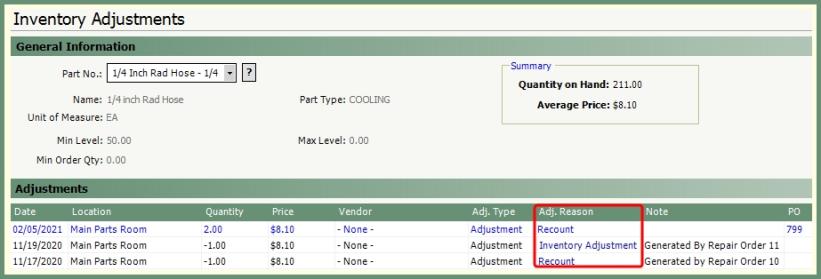
Create reasons to be applied to inventory adjustment entries.
|

|
|
-
Enter a unique 2-digit code.
-
Enter a description of the inventory adjustment reason.
-
Active will be set by default. Remove the active setting to mark the reason as inactive.
-
Repeat for all inventory adjustment reasons and save when finished.
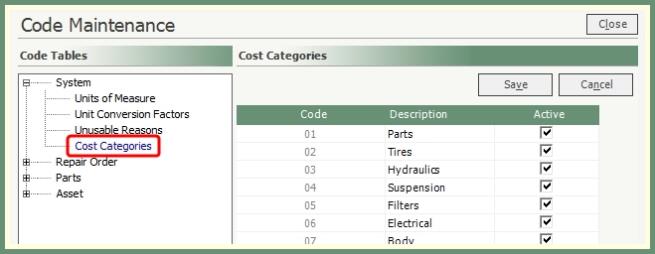
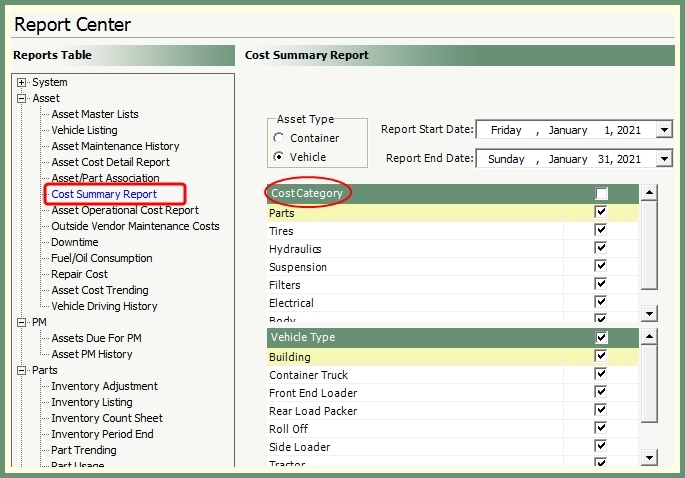
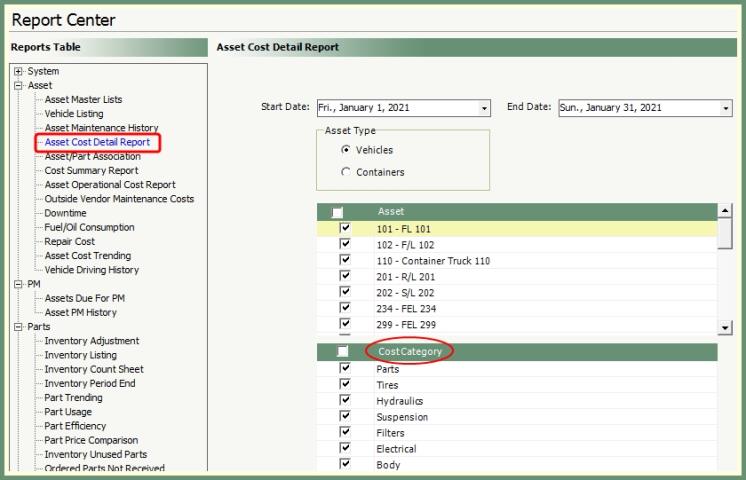
Group parts into categories to be applied for reporting on the Cost Summary and Asset Cost Detail.
Navigate To: System>Configuration>Code Maintenance>System>Cost Categories
|
|
|
|
-
Enter a unique 2-digit code.
-
Enter a Cost Category description.
-
Active will be set by default. Remove the active setting to mark a cost category as inactive.
-
Repeat for all cost categories and save when finished.